Deep Learning 실무 기초 개념

  • Training, Validation, Test dataset

    • Training (학습/훈련) 데이터셋
      • 모델을 학습시키는 용도
      • 딥러닝 모델의 경우 학습 데이터셋에 대해서 Gradient Descent하여 Loss가 최소화되도록 모델의 weight를 최적화함
    • Validation (검증) 데이터셋
      • 모델의 성능 평가와 Hyperparameter Tuning에 사용
        • Hyperparameter?
          • 모델 구조와 학습 방식에 영향을 주는 파라미터, 모델의 최종 성능에도 영향을 줌
        • Hyperparameter Tuning?
          • 가장 최적의 Hyperparameter 조합을 찾는 것.
          • Validation 성능이 가장 높은 조합 찾기
      • 학습 데이터셋에 대한 "Overfitting" 될 수 있기에 Validation 데이터셋으로 성능 평가
        • Overfitting(과적합)이란?
          • Unseen data에 대해서 모델의 예측값이 일반화되지 않는 경우
          • 뉴럴넷 모델이 학습 데이터에 있는 noise에 대해서도 학습하여, 일반화 성능이 저하되는 현상
          • Epochs(반복 학습)이 늘어날 수록 성능이 마냥 좋이지지 않는다. 어느 기점부터 Valid Loss가 증가하는 현상이 발생하는데 이를 과적합이라고 함
            • 예: 데이터 자체의 노이즈를 고려하지 않고 모델의 Degree를 마냥 높이면 실제 True f(x)와의 오차가 심하게 발생함
    • Test (시험) 데이터셋
      • 검증 단계에서 선택한 최적의 모델의 최종 성능을 평가하는데 사용
      • Hyperparameter Tuning을 과도하게 적용하는 경우, Validation dataset에 대해서 unintentional overfitting이 발생할 수 있다.
  • Overfitting

  • K-fold Cross Validation: 데이터셋이 너무 작아서 Validation dataset을 확보할 수 없을 때 사용

    1. 데이터 분할: 원본 데이터셋을 K 개의 서로 겹치지 않는 부분 집합으로 나눈다. (일반적으로 K=5 혹은 10 사용)

    2. 반복 학습 및 검증

      • 하나의 Fold를 검증 데이터로 사용

      • K-1 개의 폴드를 훈련 데이터로 사용하여 모델 학습

      • i) K = 6

      • Validation Training Training Training Training Training
        (Fold 1) Fold 2 Fold 3 Fold 4 Fold 5 Fold 6
      • ii)

        Training Validation Training Training Training Training
        Fold 1 (Fold 2) Fold 3 Fold 4 Fold 5 Fold 6
      • iii)

        Training Training Validation Training Training Training
        Fold 1 Fold 2 (Fold 3) Fold 4 Fold 5 Fold 6
      • iv)

        Training Training Training Training Training Validation
        Fold 1 Fold 2 Fold 3 Fold 4 Fold 5 (Fold 6)
  1. 성능 측정
    • 각 반복마다 모델은 검증용 폴드에 대한 성능 평가
    • 모든 K 번의 평가 완료 후에 평균 성능 계산
  2. 최종 성능 평가 혹은 Hyperparameter Tuning
    • Fold들에 대한 평균 성능을 최종 성능 지표로 사용
    • 혹은 Hyperparameter Tuning에 사용할 수도 있음
  3. 장점
    • 데이터를 효과적으로 활용하여 모델의 성능을 평가
    • 과적합 문제를 예방하고 모델의 일반화 성능을 더 신뢰성 있게 추정
    • 검증 데이터의 선택에 따라 모델의 평가 결과가 크게 변하지 않는다.
  • Hyperparameter Tuning
  • Loss와 Evaluation Metric의 차이
    • Loss Function
      • 예측한 값과 실제 타깃 값 사이의 차이
      • 학습 단계에서 Loss를 최소화하는 방향으로 모델의 Weight를 조정
      • 미분 가능해야 함 (Gradient Descent를 사용하기 위해)
      • Cross Entropy Loss, Mean Squared Loss 등
      • 결론: 모델 학습 단계에서 모델의 가중치를 조정하기 위한 목적으로 예측 오차를 측정
    • Evaluation Metric
      • 학습된 모델의 성능을 평가하는데 사용되는 지표
      • 손실 함수와 달리 평가 지표는 더 직관적이다.
      • 정확도(Accuracy), 정밀도(Precision), 재현율(Recall), F1 Score 등
      • 결론: 학습된 모델의 성능을 평가하고 보고하기 위해 사용
  • 출처: 인프런 | 딥러닝 이론 + PyTorch 실무 완전 정복

Intro

  • 활성함수 : DL의 꽃
  • 정규화 : 오버피팅을 피하는 방법
  • CNN : 이미지 데이터 처리
  • RNN : 시계열 데이터 처리
  • Attention, Transformer : 시계열 데이터, 자연어 처리

[실습] PyTorch 환경 설정하기 (Mac)

  • python3 설치, 환경변수 설정
    • python 3.12.8 다운로드, 설치
    • 기존 3.10 환경변수 폴더내 pip ~ python* 파일 제거
    • 3.12 환경변수 폴더 들어가서 python.exe -> python3.exe 복사
    • $ python3 --version 확인
    • Python 3.12.8
    • miniconda3(=anaconda) 24.11.0
  • miniconda3 설치, 환경변수 설정
    • miniconda3 24.11.0 다운로드, 설치
    • C:\ProgramData\miniconda3 -> _conda.exe -> conda.exe 복사
    • 시스템 변수 > Path > C:\ProgramData\miniconda3 추가
    • $ conda --version 확인
    • conda 24.11.0
  • conda env 환경 만들기
    • $ conda create -n py312 python=3.12 --yes
    • [Python] conda 가상환경 activate 오류
    • git bash 실행
    • $ source /c/ProgramData/miniconda3/etc/profile.d/conda.sh
    • $ conda activate py312
    • $ conda install pytorch torchvision torchaudio -c pytorch --yes
    • $ pip install tqdm jupyter jupyterlab scikit-learn scikit-image tensorboard torchmetrics matplotlib pandas

[실습] PyTorch 환경 설정하기 (Windows)

  • Miniconda 설치
    • google : install miniconda windows 검색
    • Windows Miniconda3 Windows 64-bit 다운로드, 설치
      • 인스톨 > 모든 거 다 체크하고 설치
    • 윈도우 검색 > Anaconda Prompt (miniconda3) 실행
  • Programming IDE 설치
    • VS Code 설치
  • PyTorch와 기타 library 설치
    • Anaconda Prompt 실행
    • py312 가상환경 만들기
      • $ conda create --name py312_windows python=3.12 --yes
      • $ conda activate py312_windows
      • $ conda install pytorch torchvision torchaudio -c pytorch --yes
      • $ python

import torch

exit()

  • $ pip install tqdm jupyter jupyterlab scikit-learn scikit-image seaborn tensorboard torchmetrics torchinfo matplotlib pandas

[실습] Colab으로 PyTorch 환경 설정하기

  • Google Drive 접속
  • Google Colaboratory 실행
  • Notebook 시작하기

[1]
from google.colab import drive
drive.mount("/content/drive")
Mounted at /content/drive

[2]
!pwd
/content

[5]
import os
os.chdir("/content/drive/MyDrive")

[7]
import torch

[8]
!pip install scikit-learn
Requirement already satisfied: scikit-learn in /usr/local/lib/python3.10/dist-packages (1.6.0)
Requirement already satisfied: numpy>=1.19.5 in /usr/local/lib/python3.10/dist-packages (from scikit-learn) (1.26.4)
Requirement already satisfied: scipy>=1.6.0 in /usr/local/lib/python3.10/dist-packages (from scikit-learn) (1.13.1)
Requirement already satisfied: joblib>=1.2.0 in /usr/local/lib/python3.10/dist-packages (from scikit-learn) (1.4.2)
Requirement already satisfied: threadpoolctl>=3.1.0 in /usr/local/lib/python3.10/dist-packages (from scikit-learn) (3.5.0)

[이론] 딥러닝 (Deep Learning)은 뭘까?

  • 딥러닝이란?
    • Deep Learning이란 무엇? 어디에서 기원하는가?
      • 딥러닝으로 어떤 문제를 풀 수 있을까?
        • Input Data X -> Model -> Y = Cat
        • 입력값 X -> Label Y의 값은 Y = f(X)
        • X -> Y로 매핑해주는 함수 f(X)는 어떻게 구할까?
          • 정확한 f(X) 구하기는 어렵다.
        • f(X)에 "근사"하는 f^(X)으로 모델링 한다. --> Y^ = NN(X), f(X) ~ f^(X)
          • 목표 : Y^=NN(X) 뉴럴 네트워크의 출력값이 Y=f(X) 실제값에 최대한 유사하도록 하는 것. (뉴럴넷을 학습한다는 의미임.)
    • 어떤 문제를 풀려고 하는 것인가?
    • Neural Network의 기본 구성은 어떻고, 어떻게 학습시키는가?

[이론] 뉴럴넷 (Neural Network)은 뭘까?

  • 기본적인 Neural Network의 구성
    • 기본 구성 : Input Layer + (한 개 이상의) Hidden Layer + Output Layer
    • 특성 :
      • 각 Layer은 뉴런(Neuron) 들로 구성됨.
      • 각 뉴런은 다음 Layer의 뉴런과 연결 (edge) 되어 있음
      • 즉, 뉴런은 이전 Layer의 뉴런들의 출력값으로 입력을 받는다.
      • 각 뉴런은 가중치 weight w와 활성 함수 activation fucntion으로 구성된다.
    • 예시 :
      • x1, x2, x3
        • 뉴럴넷에 입력되는 값
        • input layer의 1, 2, 3번째 뉴런이 출력하는 값
        • 다음 Layer의 Input 값으로 전달
      • hj
        • Hidden Layer의 j번째 뉴런이 출력하는 값
        • 이전 Layer인 Input Layer의 출력값을 입력값으로 사용하여 계산됨
        • 다음 Layer의 Input 값으로 전달
    • x1, x2, x3 => hj 계산과정
      • 입력 값 : x1 / x2 / x3 (input)
      • 출력 값 : hj (output)
      • 과정 :
        • Weight Multiplication (가중치 곱) -> Aggregation (집계) -> Activation Function (활성 함수)
      • 상세 :
        • Weight Multiplication : x1 * wj1 / x2 * wj2 / x3 * wj3
        • Aggregation : (x1 * wj1) + (x2 * wj2) + (x3 * wj3)
        • Activation Function : AF(Aggregation결과) => hj 출력
  • Neural Network의 기원
    • 뇌의 뉴런에서 시작
      • Input : Dendrite(수상돌기) - 다른 뉴런의 출력 Singal 신호를 수용
      • 중간 과정 : 뉴런의 특성(~ activation function과 비슷)
      • Output : Axon Terminal(뉴런말단) - 출력 Signal

[실습] Neural Network의 동작 원리

  • Question : 어떻게 해야 뉴럴 네트워크의 출력값 Y^가 실제 값인 Y에 근사 할까?
    • 각 Layer의 weight w를 최적회해야함! (= 각 Layer에 곱해지는 가중치의 최적 조합을 찾고 싶은 것!)
      • Weight wji이 바뀌면 주어진 input xi값에 대한 Output y 값도 바뀐다.
      • 주어진 Input xi들에 대해서 최대한 실제값 y과 유사하게 Output y^을 출력해주는 가중치 wji들의
        조합을 찾고 싶은 것
      • 각 Layer의 weight wji을 적절하게 조정해서 주어진 Input에 대해서 출력되는 y^이 실제값 y에 최대한
        잘 근사하도록 최적화 하는 것
    • Weight 값을 어떻게 정의해야 예측값이 최대한 정확할까?
      • 기본적으로 알 수 없음, 처음에는 랜덤하게 정의해야함
    • Weight 값을 어떻게 최적화해야 모델의 예측값이 더 정확해질 수 있을까?
      • Gradient Descent (경사 하강)을 통한 Loss fucntion (손실 함수)값을 최소화하도록, weight값을
        최적화하여 점진적으로 모델의 예측 정확도를 높인다.
  • Answer : 즉, 처음에는 랜덤한 weight 값에 따라 모델의 예측값도 random 하지만, weight w 값을
    최적화하여 점차 모델의 정확도를 높인다!

출처 : 인프런 | 딥러닝 이론 + PyTorch 실무 완전 정복

Deep Learning 활용 사례

Computer Vision Tasks (1)

  • No object Just pixels
    • Semantic Segmentation
      • CAT | GRASS | TREE ..
  • Single object
    • Classfication
      • CAT
    • Classfication + localization
      • CAT
  • Multiple objects
    • Object detection : Videos ..
      • CAT | DOG | DUCK
    • Instance segmentation
      • CAT1, CAT2, DOG, DUCK

Computer Vision Tasks (2) Obtical Character Recognition

  • 주민등록증
    • 이름
    • 주민번호
    • 주소
    • 발급일자
    • 발급기관
  • 상품
    • 상품명
    • 회사
    • etc.

Computer Vision Tasks (3) Motion Capture without Marker

  • Object detection
  • etc.

Natural Language Processing Tasks

  • Language generation
  • Answering questions
  • Text classfication
  • Sentiment analysis
  • Machine translation
  • 예: ChatGPT

Multi-Modal Tasks (1) Image Generation (text to image)

  • Multi-Modal : Text + Vision + Audio + etc.
    • script : "A person half Yoda half Gandalf"
      • process : Embedding -> Embedding + DM - Denoise + ... + -> result(image)

Multi-Modal Tasks (2) Video Generation (text to video)

  • 예 : Sora AI

출처 : 메타코드M

딥러닝(Deep Learning)

딥러닝(Deep Learning)은 인공지능(AI)의 한 분야로, 머신러닝(ML)의 하위 분야입니다. 딥러닝은 인공신경망(Neural Network)을 기반으로 하여 데이터를 학습하고, 규칙을 찾아내며 판단하는 기술입니다. 딥러닝은 특히 멀티 모달 데이터를 학습하고 예측하는 데 뛰어난 성능을 발휘합니다.

AI, ML, DL의 정의

  • 인공지능(AI): 사람의 일을 기계가 대신 해주는 기술.
  • 머신러닝(ML): 정해진 규칙 없이 데이터로부터 학습하고 스스로 규칙을 찾아내는 인공지능의 한 분야.
  • 딥러닝(DL): 인공신경망을 기반으로 데이터를 학습하고 규칙을 찾아내며 판단하는 머신러닝의 한 분야.

기계학습의 분류

  1. 지도학습(Supervised Learning): 목표 변수가 있는 경우 (레이블 O)
    • 분류(Classification): 비연속적(범주형) 데이터 분류에 사용.
      • 예: MNIST 필기체 인식, 스팸 메일 분류.
    • 회귀(Regression): 연속적인 데이터에 사용.
      • 예: 주가 예측.
  2. 비지도학습(Unsupervised Learning): 목표 변수가 없는 경우 (레이블 없이 학습)
    • 차원축소(Dimensionality Reduction): PCA, Factor Analysis 등.
    • 클러스터링(Clustering): Hierarchical Clustering, K-means 등.
      • 예: 마케팅 고객 그룹화.
    • 연관성 규칙 발견: MBA, Sequence Analysis 등.
  3. 강화학습(Reinforcement Learning): 보상 시스템을 통해 학습하며, 최적의 행동을 선택하는 기술.

지도학습의 기본 구조

  • 모델은 $y = f(x) + \epsilon$의 형태로 표현되며, 여기서 $\epsilon$은 오차를 나타냅니다.
  • 함수 $f$를 추정하는 과정을 "학습"이라고 하며, $y$의 데이터 타입에 따라 분류(Classification) 또는 회귀(Regression)로 나뉩니다.

Notation

  • $(x, y)$: 학습에 사용하는 데이터셋.
    • $x$: 입력 데이터, 독립변수.
    • $y$: 출력 데이터, 종속변수.
    • $(x_{train}, y_{train})$: 학습에 사용할 데이터셋.
    • $(x_{test}, y_{test})$: 성능 평가에 사용할 데이터셋.

학습 데이터와 테스트 데이터는 중복되어서는 안 되며, 테스트 데이터가 학습 데이터에 포함되면 모델의 성능 평가에 오류가 발생할 수 있습니다.

Regression 예시를 통해 이해하는 머신러닝 구조 (1)

  • 매출($y$)과 TV 광고비($x$)의 관계는 -> 매출 = $f(\text{TV광고비})$
    • Simple(변수 $x$ 1개) Regression($y$가 연속)
  • 하고자 하는 바? --> 새로운 11번째 회사가 TV광고비를 사용하였을 때($x_{11}$), 매출은 어떻게 될 것인가 예측($y_{11}$)
  • 어떻게 모델 $f$의 성능을 평가? --> 보통 전체 데이터셋을 train/test로 분리(7:3, 8:2)해서 train만으로 학습시킨 후, 학습된 모델 $f$에 $x_{test}$를 넣어 $y$를 예측한 뒤, 실제 $y_{test}$를 통해 얼마나 잘 예측했는지를 평가
  TV($x$) Sales($y$)
1 230.1 22.1
2 44.5 10.4
3 17.2 9.3
... ... ...
11 78 ?
  • 새로운 데이터가 들어왔을 때, ?를 예측
  • 평가용 데이터 $(x_{test}, y_{test})$

Regression 예시를 통해 이해하는 머신러닝 구조 (2)

  • TV 광고비, 라디오 광고비, 신문 광고비와 매출의 관계 -> 매출($y$) = $f(\text{TV광고비}(x_1), \text{라디오광고비}(x_2), \text{신문광고비}(x_3))$
    • = Multivariable Regression
  • 하고자 하는 바? --> 새로운 11번째 회사가 TV광고비를 사용하였을 때, 매출?
  TV Radio Newspaper Sales
1 230.1 37.8 69.2 22.1
2 44.5 39.3 45.1 10.4
3 17.2 45.9 69.3 9.3
... ... ... ... ...
11 78 24 3 ?


출처 : 메타코드M

1. AWS 리전 이란?

•  AWS의 서비스가 제공되는 리소스의 지리적 위치

•  각 리전 간 글로벌 네트워크 백본(Back born) 연결

•  각 리전에는 고유의 코드가 부여됨 (ap-northeast-2)

•  28 개 리전, 87 개 가용영역 400+ 개 엣지로케이션


2. AWS의 글로벌 인프라 ‒ 리전 선택 고려사항 1

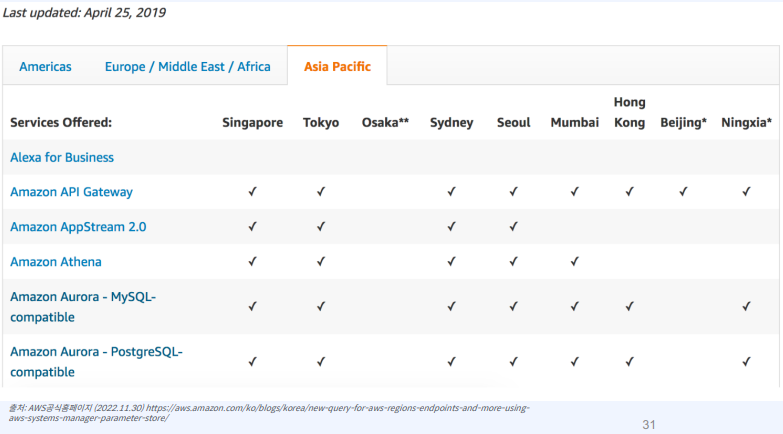
•  리전 별 서비스 제공 유무 확인

•  리전별 서비스 제공 테이블


•  리전별 서비스 리스트 URL : https://aws.amazon.com/ko/about-aws/global-infrastructure/regional-product-services/


리전별 AWS 서비스 - AWS


aws.amazon.com


3. AWS의 글로벌 인프라 ‒ 참고. AWS CLI 활용


•  aws 리전 목록 조회

aws ssm get-parameters-by-path --path /aws/service/global-infrastructure/regions --output json |
jq .Parameters[].Name


•  모든 aws 서비스 목록 조회

aws ssm get-parameters-by-path --path /aws/service/global-infrastructure/services --output json |
jq .Parameters[].Name | sort


•   리전에서 사용가능한 서비스 조회

aws ssm get-parameters-by-path --path /aws/service/global-infrastructure/regions/us-east-1/services --
output json | jq .Parameters[].Name | sort


•   서비스 엔드포인트 조회

aws ssm get-parameter --name /aws/service/global-infrastructure/regions/us-west-1/services/s3/endpoint
--output json | jq .Parameter.Value


4. AWS의 글로벌 인프라 ‒ 리전 선택 고려사항 2

•  리전 별 서비스 가격 확인


5. AWS 글로벌 인프라 - 가용영역(Availability Zone)

  하나의 리전은 최소 2개 이상 가용역역으로 구성

• 가용영역은 하나이상의 데이터센터로 구성

• 서울 리전은 현재 4개의 AZ 운영


6. AWS 글로벌 인프라 - AWS 엣지 로케이션 (Edge location)

  Amazon CloudFront/ Route53을 위한 캐시 서버(Cache Server)들의 모음

• 엣지로케이션은 AWS 전세계 리전에서 빠른 접근성을 위한 글로벌 네트워크 인프라 (400개 지점)

• Lambda@Edge (가까운 지역 위치에서 서비리스 코드 실행) 를 통해 성능을 개선하고 지연 시간 단축


출처 : 패스트캠퍼스, 초격차 패키지 : 한 번에 끝내는 AWS 기반 아키텍처 설계와 DevOps. Online.

1. 완탐과 원복

첫번째 최종 탐색 후, 계속 원복을 하면서 탐색 가능한 모든 경우의 수를 구한다.


2. 인접 노드

3. 탐색 순서 :

0 -> 1 -> 2 (첫번째 탐색 끝)

  > 2번을 pop() 및 방문 미처리하여 원복 : 0 -> 1

  > 1번으로 가서 인접노드 3을 방문 : 0 -> 1 -> 3

  > 3번을 pop() 및 방문 미처리하여 원복 : 0 -> 1

  > 2와 3을 모두 탐색했으니 1도 pop() 및 방문 미처리하여 원복 : 0


4. 소스 코드

# 완전탐색
# 완탐과 원복
# 원복의 필요성 : 상태값이 그 다음 경우의 수에 반영되지 않도록 하기 위함

# 1. 인접 노드 방향 벡터
# 0 <-> 1 <-> 2
#         <-> 3

# 2. 3개의 정점을 탐색하면 print3 하라!

# 3. 방문한 정점은 다시 방문하지 않는다.


import sys
input = sys.stdin.readline

visited = [0] * 4
adj = [[] for _ in range(4)]
v = []

def print3():
    for i in v:
        print(chr(ord("A") + i), end=' ')
    print("\n")

def go(idx):
    if len(v) == 3:
        print3()
        return # 여기서 끝난다는 뜻.
    for there in adj[idx]:
        if visited[there] == 1:
            continue
        visited[there] = 1
        v.append(there) # [0, 1, 2] -> [0, 1, 3]
        print("push_back :: there : " + str(there))
        for i in v:
            print(i, end=' ')
        print("\n")
        go(there)
        visited[there] = 0
        v.pop()
        print("pop_back :: there : " + str(there))
        for i in v:
            print(i, end=' ')
        print("\n")

adj[0].append(1)
adj[1].append(0)

adj[1].append(2)
adj[2].append(1)

adj[1].append(3)
adj[3].append(1)

visited[0] = 1 # 맨처음 0을 방문처리
v.append(0)
go(0)


5. 두번 째 문제

# 긍정왕 홍철이의 구걸 여행
# 홍철이는 3 * 3 맵에서 {0, 0} 지점에서 길을 잃어버렸다. 긍정왕 홍철이는 길을 잃어버린 김에 구걸을 하면서 돈을 모으며 여행을 가려고 한다.
# 목적지는 {2, 2}이며 방문한 정점은 다시 방문할 수 없고, 해당 맵에 구걸로 얻을 수 있는 돈들이 있다. 홍철이는 4방향(상하좌우)로 움직일 수 있다.
# {2, 2}까지 간다고 했을 때, 이 돈들을 모으는 모든 경우의 수를 출력하여라

# 맵
# {10, 20, 21},
# {70, 90, 12},
# {80, 110, 120}


6. 탐색 순서

10 20 21 12 120

  > 120 원복 및 90 -> 110 -> 120 탐색

  > 10 20 21 12 90 110 120

  > 120, 110 원복 및 70 -> 80 -> 110 -> 120 탐색

  > 10 20 21 12 90 70 80 110 120

  > 반복 ..


7. 소스 코드

import sys
input = sys.stdin.readline

n = 3
a = [
    [10, 20, 21],
    [70, 90, 12],
    [80, 110, 120]
]
visited = [
    [0, 0, 0],
    [0, 0, 0],
    [0, 0, 0]
]
dy = [-1, 0, 1, 0]
dx = [0, 1, 0, -1]
v = []

def print_result():
    for i in v:
        print(i, end=' ')
    print()

def go(y, x):
    if y == n - 1 and x == n - 1:
        print_result()
        return
    for i in range(0, 4):
        ny = y + dy[i]
        nx = x + dx[i]
        if ny < 0 or nx < 0 or ny >= n or nx >= n:
            continue
        if visited[ny][nx] == 1:
            continue
        visited[ny][nx] = 1
        v.append(a[ny][nx])
        go(ny, nx)
        visited[ny][nx] = 0 # 원복
        v.pop()

visited[0][0] = 1
v.append(a[0][0])
go(0, 0)


8. 결과 값, 모든 경우의 수 12가지

10 20 21 12 120 
10 20 21 12 90 110 120
10 20 21 12 90 70 80 110 120
10 20 90 12 120
10 20 90 110 120
10 20 90 70 80 110 120
10 70 90 20 21 12 120
10 70 90 12 120
10 70 90 110 120
10 70 80 110 90 20 21 12 120
10 70 80 110 90 12 120
10 70 80 110 120


출처 : 10주완성 C++ 코딩테스트 | 알고리즘 코딩테스트 | 큰돌

'Coding Test' 카테고리의 다른 글

완전탐색(재귀함수)과 백트래킹  (0) 2024.09.08
완전 탐색 - for or while loop  (0) 2024.09.04

1. 재귀를 활용한 완전탐색 문제 2개


# 재귀를 활용한 완전탐색

# 승철이는 도쿄 위의 빨간 구름위에 올라있다. 이 구름은 그대로 내버려 두면 땅으로
# 떨어져 100만명의 사상자가 발생한다. 구름을 멈추는 방법은 구름의 특정 위치에 요석을
# 꽂으면 된다. 해당 위치에는 숫자가 표기가 되어있고, 몇 개를 골라 숫자의 합이 "소수"가
# 될 때 구름은 멈춘다. 총 몇개의 경우의 수가 있는지 말하라.
# N개의 요석 후보의 숫자와 다음 줄에 해당 숫자들이 나온다. N <= 100

# 입력
# 10
# 24 35 38 40 49 59 60 67 83 98

# 소수 : 1과 자기 자신 외에 다른 약수를 가지지 않는 수입니다.
# 2, 3, 5, 7, 11, 13, 17, 19 ..

import sys
input = sys.stdin.readline

# sum이 소수인지 아닌지 판별하는 함수
def check(sum):
    if sum <= 1 or sum % 2 == 0:
        return 0 # 소수 아님
 
    i = 2
    while i * i <= sum:
        if sum % i == 0:
            return 0 # i는 n의 약수 중 하나가 되므로, n이 소수가 아님
        i += 1
 
    if sum == 2:
        return 1 # 소수
    return 1 # 모든 경우에 안 걸라니까, 소수

# EX:
# n = 3
# 24 37 48
# go(0, 0)
# go(1,0+next) go(1,0) # 2 포함하냐 안하냐
# go go go go # 4 포함하냐 안하냐, 포함하냐 안하냐
# go go go go go go go go # 8 (= 2^n, 총 경우의 수 )

def go(idx, sum):
    if idx == n:
        return check(sum)
    return go(idx + 1, sum + v[idx]) + go(idx + 1, sum) # idx + 1은 다음 번쨰로 넘어가면서 완탐 한다는 뜻, 포함 하냐 + 포함 안하냐

n = int(input())
v = list(map(int, input().split()))
print(go(0, 0)) # 맨 아래부터 소수의 경우, 1을 더하면서 위로 올라가기 때문에 누적수가 나옴, go(idx) = go(idx+1, sum) + go(idx+1, sum + v[idx]) ..


# 이해가 어려운 부분
# 1. i라는 변수를 2로 초기화
# -> 소수를 판별할 때, 가장 작은 소수는 2입니다. 따라서 i를 2로 초기화하는 것은 소수 판별을 시작하는 첫 번째 수를 설정하는 것입니다. 이후 i를 증가시키면서 다른 수들에 대해서도 검사를 진행하게 됩니다.

# 2. 소수 판별 시 제곱근까지만 검사하면 충분
# -> 어떤 수 n이 소수인지 확인할 때, 1과 자기 자신 외에 다른 수로 나누어 떨어지는지 검사합니다.
# 예를 들어, n이 36이라면, 36의 약수는 1, 2, 3, 4, 6, 9, 12, 18, 36입니다. 이 중에서 6(제곱근)보다 큰 수인 9, 12, 18은 이미 6 이하의 수로 나누어 떨어지기 때문에, 제곱근까지만 검사해도 모든 경우를 확인할 수 있습니다. 따라서 i * i <= n 조건을 사용하여 제곱근까지만 반복하는 것입니다.

# 3. n이 i의 배수인 경우 소수가 아니므로 0을 반환
# ->소수는 1과 자기 자신 외에 다른 약수를 가지지 않는 수입니다. 만약 n이 i로 나누어 떨어진다면, i는 n의 약수 중 하나가 됩니다.
# 예를 들어, n = 10이고 i = 2라면, 10 % 2 == 0이므로 10은 2로 나누어 떨어지고, 이는 10이 소수가 아님을 의미합니다. 따라서 이런 경우 0을 반환하여 소수가 아님을 알립니다.


# 재귀를 활용한 완탐 2
 
# N과 N개의 자연수가 주어진다. 여기서 몇개의 숫자를 골라 합을
# mod 11을 했을 때 나오는 가장 큰수를 구하라.

# 입력
# 10
# 24 35 38 40 49 59 60 67 83 98

# 뽑는 경우의 수 = 2의 10승

# 재귀를 활용한 완탐 2
# N과 N개의 자연수가 주어진다. 여기서 몇개의 숫자를 골라 합을
# mod 11을 했을 때 나오는 가장 큰수를 구하라.

# 입력
# 10
# 24 35 38 40 49 59 60 67 83 98

import sys
input = sys.stdin.readline

def go(idx, current_sum):
    global ret, cnt
    if idx == n:
        ret = max(ret, current_sum % 11)
        cnt += 1
        return
    # 현재 숫자를 선택하는 경우
    go(idx + 1, current_sum + v[idx])
    # 현재 숫자를 선택하지 않는 경우
    go(idx + 1, current_sum)

n = int(input())
v = list(map(int, input().split()))
ret, cnt = 0, 0
go(0, 0)
print(ret, cnt)


2. 백트래킹(=가지치기)를 활용한 완전탐색 문제 1


# 백트래킹은 가지치기 함
# 필요없는 것은 탐색 안함

# 백트래킹을 활용한 완탐 2
# N과 N개의 자연수가 주어진다. 여기서 몇개의 숫자를 골라 합을
# mod 11을 했을 때 나오는 가장 큰수를 구하라.

# 입력
# 10
# 24 35 38 40 49 59 60 67 83 98

# 뽑는 경우의 수 = 2의 10승

# 재귀를 활용한 완탐 2
# N과 N개의 자연수가 주어진다. 여기서 몇개의 숫자를 골라 합을
# mod 11을 했을 때 나오는 가장 큰수를 구하라.

# 입력
# 10
# 24 35 38 40 49 59 60 67 83 98

# 뽑는 경우의 수 = 2의 10승

# 10 % 11 = 10
# 9 & 11 = 9
# ..
# 0 ~ N - 1 밖에 안나옴

import sys
input = sys.stdin.readline

def go(idx, current_sum):
    global ret, cnt
    if ret == n: # 백트래킹, 가지치기
        return
    if idx == n:
        ret = max(ret, current_sum % 11)
        cnt += 1
        return
    # 현재 숫자를 선택하는 경우
    go(idx + 1, current_sum + v[idx])
    # 현재 숫자를 선택하지 않는 경우
    go(idx + 1, current_sum)

n = int(input())
v = list(map(int, input().split()))
ret, cnt = 0, 0
go(0, 0)
print(ret, cnt)


출처 : 10주완성 C++ 코딩테스트 | 알고리즘 코딩테스트 | 큰돌

'Coding Test' 카테고리의 다른 글

완탐과 원복  (5) 2024.09.14
완전 탐색 - for or while loop  (0) 2024.09.04

11. Response 코드 및 메시지 인터페이스 작성


1. Http Status Code & Message 설명

200
- 성공 : "SU" / "Success."

400
- 유효성 검증 실패 : "VF" / "Validation failed."
- 중복된 이메일 : "DE" / "Duplicated Email."
- 중복된 전화번호 : "DT" / "Duplicate tel_number."
- 중복된 닉네임 : "DN" / "Duplicate nickname."
- 존재하지 않는 유저 : "NU" / "This user does not exist."
- 존재하지 않는 게시물 : "NB" / "This board does not exist."

401
- 로그인 실패 : "SF" / "Login information mismatch."
- 인증 실패 : "AF" / "Authorization Failed."

403
- 권한 없음 : "NP" / "Do not have permission."

500
- 데이터베이스 실패 : "DBE" / "Database Error."


2. ResponseCode.java 작성  (board-backend / src / main / java 하위)

package kr.co.sorin.board_backend.common;

public interface ResponseCode {

    // interface 필드는 무조건 public static final로 해야함, 생략해도 public static final로 인식함

    // HTTP STATUS 200
    String SUCCESS = "SU";
    // HTTP STATUS 400
    String VALIDATION_FAILED = "VF";
    String DUPLICATE_EMAIL = "DE";
    String DUPLICATE_TEL_NUMBER = "DT";
    String DUPLICATE_NICKNAME = "DN";
    String NOT_EXISTED_USER = "NU";
    String NOT_EXISTED_BOARD = "NB";
    // HTTP STATUS 401
    String SIGN_IN_FAILED = "SF";
    String AUTHORIZATION_FAILED = "AF";
    // HTTP STATUS 403
    String NO_PERMISSION = "NP";
    // HTTP STATUS 500
    String DATABASE_ERROR = "DBE";

}


3. ResponseMessage.java 작성

package kr.co.sorin.board_backend.common;

public interface ResponseMessage {
    // HTTP STATUS 200
    String SUCCESS = "Success.";
    // HTTP STATUS 400
    String VALIDATION_FAILED = "Validation failed.";
    String DUPLICATE_EMAIL = "Duplicated Email.";
    String DUPLICATE_TEL_NUMBER = "Duplicate tel_number.";
    String DUPLICATE_NICKNAME = "Duplicate nickname.";
    String NOT_EXISTED_USER = "This user does not exist.";
    String NOT_EXISTED_BOARD = "This board does not exist.";
    // HTTP STATUS 401
    String SIGN_IN_FAILED = "Login information mismatch.";
    String AUTHORIZATION_FAILED = "Authorization Failed.";
    // HTTP STATUS 403
    String NO_PERMISSION = "Do not have permission.";
    // HTTP STATUS 500
    String DATABASE_ERROR = "Database Error.";
}


4. WebSecurityConfig.java 수정

class FailedAuthenticationEntryPoint implements AuthenticationEntryPoint {

    @Override
    public void commence(HttpServletRequest request, HttpServletResponse response,
            AuthenticationException authException) throws IOException, ServletException {
        response.setContentType("application/json");
        response.setStatus(HttpServletResponse.SC_FORBIDDEN);
        response.getWriter().write("{ \"code\": \"NP\", \"message\": \"Do not have Permission.\" }");
    }
}

-->

class FailedAuthenticationEntryPoint implements AuthenticationEntryPoint {

    @Override
    public void commence(HttpServletRequest request, HttpServletResponse response,
            AuthenticationException authException) throws IOException, ServletException {
        response.setContentType("application/json");
        response.setStatus(HttpServletResponse.SC_UNAUTHORIZED);
        response.getWriter().write("{ \"code\": \"AF\", \"message\": \"Do not have Permission.\" }");
    }
}


5. ResponseDto.java 작성

package kr.co.sorin.board_backend.dto.response;

import org.springframework.http.HttpStatus;
import org.springframework.http.ResponseEntity;

import kr.co.sorin.board_backend.common.ResponseCode;
import kr.co.sorin.board_backend.common.ResponseMessage;

import lombok.AllArgsConstructor;
import lombok.Getter;

@Getter
@AllArgsConstructor
public class ResponseDto {

    private String code;
    private String message;

    // 상속 및 확장하여 사용
    public static ResponseEntity<ResponseDto> databaseError() {
        ResponseDto responseBody = new ResponseDto(ResponseCode.DATABASE_ERROR, ResponseMessage.DATABASE_ERROR);

        return ResponseEntity.status(HttpStatus.INTERNAL_SERVER_ERROR).body(responseBody);
    }

}


6. board-frontend / src / tsconfig.json 수정 : "baseUrl": "./src", 추가

{
  "compilerOptions": {
    "target": "es5",
    "baseUrl": "./src",
    "lib": ["dom", "dom.iterable", "esnext"],
    
    ...
    
    }
}


7. board-frontend / src / apis / response / index.ts 작성

import ResponseDto from "./Response.dto";

export type { ResponseDto }; // interface는 내보낼 때, export 다음에, type을 써줘야함


8. board-frontend / src / apis / response / Response.dto.ts 작성

import { ResponseCode } from "types/enum";

export default interface ResponseDto {
  code: ResponseCode;
  message: string;
}


9. board-frontend / src / types / enum / index.ts 작성

import ResponseCode from "./response-code.enum";

export { ResponseCode }; // enum은 export 다음에 type 안써줘도 됨


10. board-frontend / src / types / enum / response-code.enum.ts 작성

enum ResponseCode {
  // HTTP STATUS 200
  SUCCESS = "SU",
  VALIDATION_FAILED = "VF",
  DUPLICATE_EMAIL = "DE",
  DUPLICATE_TEL_NUMBER = "DT",
  DUPLICATE_NICKNAME = "DN",
  NOT_EXISTED_USER = "NU",
  NOT_EXISTED_BOARD = "NB",
  // HTTP STATUS 401
  SIGN_IN_FAILED = "SF",
  AUTHORIZATION_FAILED = "AF",
  // HTTP STATUS 403
  NO_PERMISSION = "NP",
  // HTTP STATUS 500
  DATABASE_ERROR = "DBE",
}

export default ResponseCode;


출처 : https://www.youtube.com/@jiraynorprogramming1589

10. Spring Security (Filter, Config)


1. Spring 3.x 특징

-- Spring 3.x 버전 특징
구 -> 신

1. Java 17 이상 사용
2. javax.* -> jakarta.*
3. application.properties / application.yaml (use-legacy-processing)
4. AntPathMatcher -> PathPatternParser
5. 외부 라이브러리 사용 시, Jakarta, Spring Framework 6.x 버전 지원 여부를 확인해야 함


2. import javax.* -> jakarta.* 로 모두 수정


3. build.gradle 수정

plugins {
	id 'java'
	id 'org.springframework.boot' version '3.3.3'
	id 'io.spring.dependency-management' version '1.1.6'
}

group = 'kr.co.sorin'
version = '0.0.1-SNAPSHOT'

java {
	sourceCompatibility = '17'
}

configurations {
	compileOnly {
		extendsFrom annotationProcessor
	}
}

repositories {
	mavenCentral()
}

dependencies {
	implementation 'org.springframework.boot:spring-boot-starter-data-jpa'
	implementation 'org.springframework.boot:spring-boot-starter-security'
	implementation 'org.springframework.boot:spring-boot-starter-validation'
	implementation 'org.springframework.boot:spring-boot-starter-web'

	implementation group: 'io.jsonwebtoken', name: 'jjwt', version: '0.9.1'

	compileOnly 'org.projectlombok:lombok'
	runtimeOnly 'com.mysql:mysql-connector-j'
	annotationProcessor 'org.projectlombok:lombok'
	testImplementation 'org.springframework.boot:spring-boot-starter-test'
	testImplementation 'org.springframework.security:spring-security-test'
	testRuntimeOnly 'org.junit.platform:junit-platform-launcher'
}

tasks.named('test') {
	useJUnitPlatform()
}


4. WebSecurityConfig.java 수정

package kr.co.sorin.board_backend.config;

import java.io.IOException;

import org.springframework.context.annotation.Bean;
import org.springframework.context.annotation.Configuration;
import org.springframework.http.HttpMethod;
import org.springframework.security.config.annotation.web.builders.HttpSecurity;
import org.springframework.security.config.annotation.web.configuration.EnableWebSecurity;
import org.springframework.security.config.annotation.web.configurers.CsrfConfigurer;
import org.springframework.security.config.annotation.web.configurers.HttpBasicConfigurer;
import org.springframework.security.config.http.SessionCreationPolicy;
import org.springframework.security.core.AuthenticationException;
import org.springframework.security.web.AuthenticationEntryPoint;
import org.springframework.security.web.SecurityFilterChain;
import org.springframework.security.web.authentication.UsernamePasswordAuthenticationFilter;
import org.springframework.web.cors.CorsConfiguration;
import org.springframework.web.cors.CorsConfigurationSource;
import org.springframework.web.cors.UrlBasedCorsConfigurationSource;

import jakarta.servlet.ServletException;
import jakarta.servlet.http.HttpServletRequest;
import jakarta.servlet.http.HttpServletResponse;

import kr.co.sorin.board_backend.filter.JwtAuthenticationFilter;
import lombok.RequiredArgsConstructor;

@Configuration
@EnableWebSecurity
@RequiredArgsConstructor
public class WebSecurityConfig {

    private final JwtAuthenticationFilter jwtAuthenticationFilter;

    @Bean
    protected SecurityFilterChain configure(HttpSecurity httpSecurity) throws Exception {
        // spring 3.x
        httpSecurity
            .cors(cors -> cors.configurationSource(corsConfigurationSource()))
            .csrf(CsrfConfigurer::disable)
            .httpBasic(HttpBasicConfigurer::disable)
            .sessionManagement(sessionManagement -> sessionManagement.sessionCreationPolicy(SessionCreationPolicy.STATELESS))
            .authorizeHttpRequests(request -> request
                .requestMatchers("/", "/api/v1/auth/**", "/api/v1/search/**", "/file/**").permitAll()
                .requestMatchers(HttpMethod.GET, "/api/v1/board/**", "/api/v1/user/*").permitAll()
                .anyRequest().authenticated()
            )
            .exceptionHandling(exceptionHandling -> exceptionHandling.authenticationEntryPoint(new FailedAuthenticationEntryPoint()))
            .addFilterBefore(jwtAuthenticationFilter, UsernamePasswordAuthenticationFilter.class);

        return httpSecurity.build();
    }

    @Bean
    protected CorsConfigurationSource corsConfigurationSource() {

        CorsConfiguration configuration = new CorsConfiguration();
        configuration.addAllowedOrigin("*");
        configuration.addAllowedMethod("*");
        configuration.addExposedHeader("*");

        UrlBasedCorsConfigurationSource source = new UrlBasedCorsConfigurationSource();
        source.registerCorsConfiguration("/**", configuration); // configuration 등록

        return source;
    }
}

class FailedAuthenticationEntryPoint implements AuthenticationEntryPoint {

    @Override
    public void commence(HttpServletRequest request, HttpServletResponse response,
            AuthenticationException authException) throws IOException, ServletException {
        response.setContentType("application/json");
        response.setStatus(HttpServletResponse.SC_FORBIDDEN);
        response.getWriter().write("{ \"code\": \"NP\", \"message\": \"Do not have Permission.\" }");
    }
}


5. CorsConfig.java 삭제

  - WebSecurityConfig.java로 설정을 모두 옮겼기 때문


출처 : https://www.youtube.com/@jiraynorprogramming1589

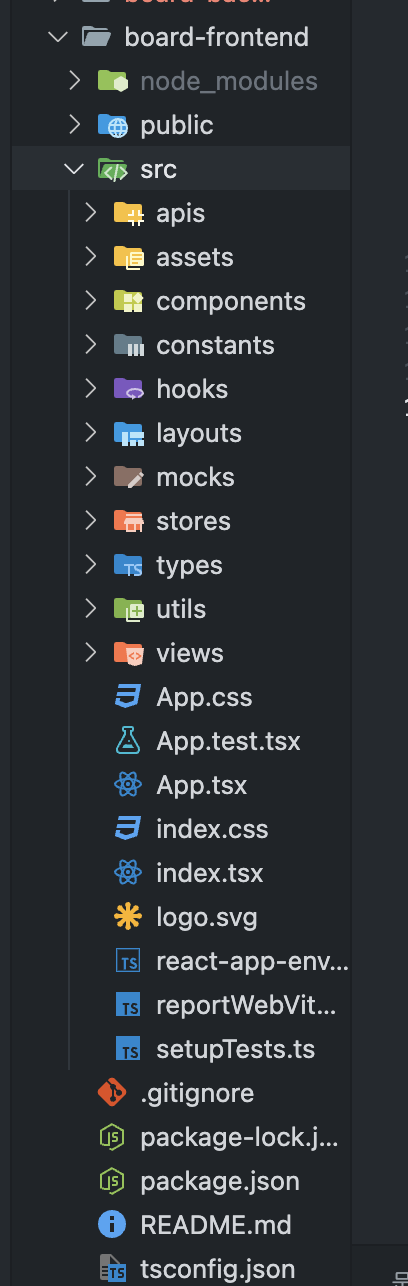
1. react 프로젝트 생성 (board-frontend)

  - npx create-app react --template typescript

  - App.tsx 초기화


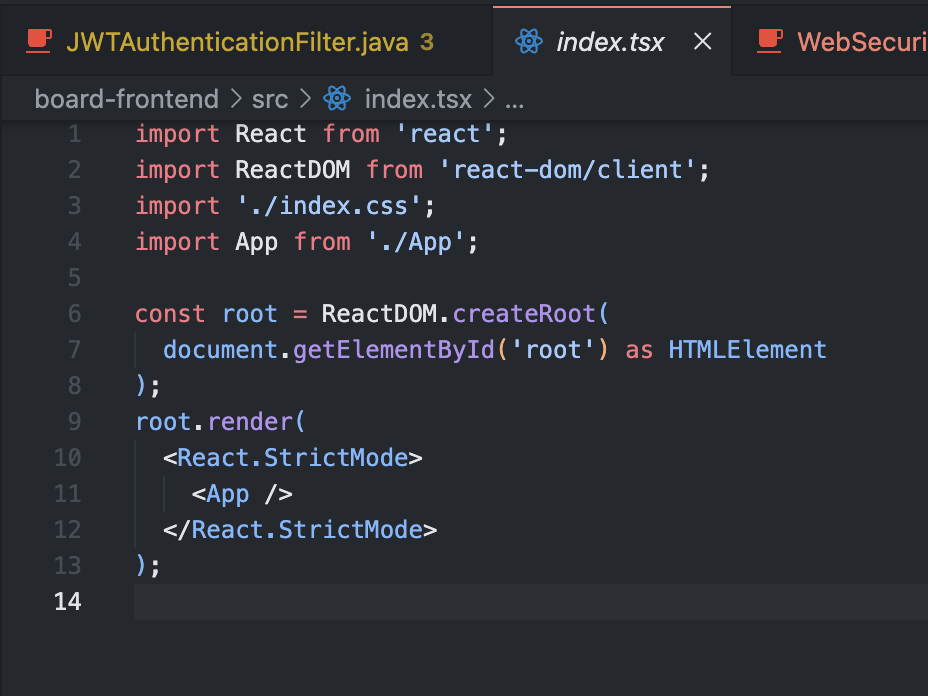
  - index.tsx 초기화


  - src 하위 폴더 구조 생성


2. Authentication 방식

1. Basic Authentication
- 사용자 이름 / 비밀번호를 Base64로 인코딩하여 Authorizaiton 헤더에 포함하여 전송
- 매우 안전하지 않음, SSL/TLS와 함께 사용됨

Ex: Authorization: Basic ~~~

2. Bearer Token Authentication
- 헤더에 토큰을 포함하여 전송 Authorization 헤더에 포함하여 전송
- JWT을 사용하여 인증
- 간단한 방식, 상태를 유지하지 않음, 확장성이 높음
- 단점 : 토큰 노출 위험, 토큰 관리가 힘듬, 귀찮음

Ex: Authorizaiton: Bearer ~~~~~

3. OAuth 방식
- 토큰기반 인증 방식, 사용자가 직접 자격을 증명 X 미리 인증 받아서 토큰을 발급 받고
- 이 토큰을 이용하여 API를 요청하는 방식, OAuth 2.0

Ex: Kakao, Naver, Git, Facebook login ..

4. API Key 방식
- 발급 받은 키를 요청

5. Session based Authentication
- Session ID를 생성하여 세션이나 쿠키에 포함하여 인증

- JWT (JSON Web Token) : 클레임이라고 불리는 정보를 JSON 형태로 안전하게 전송하기 위한 토큰
- 인증과 정보 교환에 사용, 서명이 되어 있어서 신뢰성 확보가 가능

1. Header : 토큰의 타입과 사용된 알고리즘 정보를 담고 있음, Base64 URL로 인코딩
2. Payload : 클레임 정보, 대상, 발행자, 만료 시간 등 다양한 정보가 포함, Base64 URL로 인코딩
3. Signature : Header와 Payload, Secret Key를 사용하여 생성된 서명

인증, 정보교환

장점 :
상태유지하지 않는다. = stateless, 서버가 클라이언트의 상태를 유지안한다
간단하고 자기 포함적
확장성이 높다, 토큰을 만들어 놓으면 여러 시스템에서 사용 가능

단점 : 
크기 : 클레임이 많을수록 토큰의 크기가 커짐
보안 : 서명은 되어있지만, 암호화는 되어있지 않음, 중요한 정보를 JWT에 포함할 수 없음
토큰 관리 : 만료 시간, 갱신 잘해줘야 함


3. Spring Initializr로 Gradle Project 생성 (Gradle 2.7.14)


  - src/main/java/test 하위 삭제및 src/main/java 하위 폴더 구조 잡기


  - applicaiton.properties 설정


  - JwtProvider.java 생성

package kr.co.sorin.board_backend.provider;

import java.time.Instant;
import java.time.temporal.ChronoUnit;
import java.util.Date;

import io.jsonwebtoken.Claims;
import io.jsonwebtoken.Jwts;
import io.jsonwebtoken.SignatureAlgorithm;
import org.springframework.stereotype.Component;

@Component
public class JwtProvider {

    private String secretKey = "S3cr3tK3y";

    public String create(String email) {
        Date expiredDate = Date.from(Instant.now().plus(1, ChronoUnit.HOURS));

        String jwt = Jwts.builder()
                .signWith(SignatureAlgorithm.HS256, secretKey) // 수정: SignatureAlgorithm.ES256 ->
                .setSubject(email)
                .setIssuedAt(new Date())
                .setExpiration(expiredDate)
                .compact();

        return jwt;
    }

    public String validate(String jwt) {
        Claims claims = null;
        try {
            claims = Jwts.parser()
                    .setSigningKey(secretKey)
                    .parseClaimsJws(jwt)
                    .getBody();
        } catch (Exception e) {
            e.printStackTrace();
            return null;
        }

        return claims.getSubject();
    }
}


  - WebSecurityConfig.java 생성

package kr.co.sorin.board_backend.config;

import org.springframework.context.annotation.Bean;
import org.springframework.context.annotation.Configuration;
import org.springframework.security.config.annotation.web.builders.HttpSecurity;
import org.springframework.security.config.annotation.web.configuration.EnableWebSecurity;
import org.springframework.security.config.http.SessionCreationPolicy;
import org.springframework.security.web.SecurityFilterChain;

import kr.co.sorin.board_backend.filter.JWTAuthenticationFilter;
import lombok.RequiredArgsConstructor;

@Configuration
@EnableWebSecurity
@RequiredArgsConstructor
public class WebSecurityConfig {

    private final JWTAuthenticationFilter jwtAuthenticationFilter;

    @Bean
    protected SecurityFilterChain configure(HttpSecurity HttpSecurity) throws Exception {
        HttpSecurity
                .cors().and()
                .csrf().disable()
                .httpBasic().disable()
                .sessionManagement().sessionCreationPolicy(SessionCreationPolicy.STATELESS).and()
                .authorizeRequests()
                .anyRequest().permitAll();

    }
}


  - JwtAuthenticationFilter.java 생성

package kr.co.sorin.board_backend.filter;

import java.io.IOException;

import org.springframework.security.authentication.AbstractAuthenticationToken;
import org.springframework.security.authentication.UsernamePasswordAuthenticationToken;
import org.springframework.security.core.authority.AuthorityUtils;
import org.springframework.security.core.context.SecurityContext;
import org.springframework.security.core.context.SecurityContextHolder;
import org.springframework.security.web.authentication.WebAuthenticationDetailsSource;
import org.springframework.stereotype.Component;
import org.springframework.util.StringUtils;
import org.springframework.web.filter.OncePerRequestFilter;

import kr.co.sorin.board_backend.provider.JwtProvider;

import jakarta.servlet.FilterChain;
import jakarta.servlet.ServletException;
import jakarta.servlet.http.HttpServletRequest;
import jakarta.servlet.http.HttpServletResponse;
import lombok.RequiredArgsConstructor;

@Component
@RequiredArgsConstructor
public class JwtAuthenticationFilter extends OncePerRequestFilter {

    private final JwtProvider jwtProvider;

    @Override
    protected void doFilterInternal(HttpServletRequest request, HttpServletResponse response, FilterChain filterChain)
            throws ServletException, IOException {

        String token = parseBearerToken(request);

        try {
            if (token == null) {
                filterChain.doFilter(request, response);
                return;
            }

            String email = jwtProvider.validate(token);

            if (email == null) {
                filterChain.doFilter(request, response);
                return;
            }

            // context에 등록
            AbstractAuthenticationToken authenticationToken = new UsernamePasswordAuthenticationToken(email, null,
                    AuthorityUtils.NO_AUTHORITIES);

            authenticationToken.setDetails(new WebAuthenticationDetailsSource().buildDetails(request)); // 웹 인증정보 세부정보
                                                                                                        // 셋팅

            SecurityContext SecurityContext = SecurityContextHolder.createEmptyContext();
            SecurityContext.setAuthentication(authenticationToken);

            SecurityContextHolder.setContext(SecurityContext); // 외부에서 사용 가능
        } catch (Exception e) {
            e.printStackTrace();
        }

        filterChain.doFilter(request, response); // 다음 필터로 request를 넘긴다.

    }

    private String parseBearerToken(HttpServletRequest request) {

        String authorization = request.getHeader("Authorization");

        boolean hasAuthorization = StringUtils.hasText(authorization);

        if (!hasAuthorization)
            return null;

        boolean isBearer = authorization.startsWith("Bearer ");
        if (!isBearer)
            return null;

        String token = authorization.substring(7);

        return token;

    }

}


  - WebSecurityConfig.java 작성

package kr.co.sorin.board_backend.config;

import org.springframework.context.annotation.Bean;
import org.springframework.context.annotation.Configuration;
import org.springframework.security.config.annotation.web.builders.HttpSecurity;
import org.springframework.security.config.annotation.web.configuration.EnableWebSecurity;
import org.springframework.security.config.http.SessionCreationPolicy;
import org.springframework.security.web.SecurityFilterChain;

import kr.co.sorin.board_backend.filter.JwtAuthenticationFilter;
import lombok.RequiredArgsConstructor;

@Configuration
@EnableWebSecurity
@RequiredArgsConstructor
public class WebSecurityConfig {

    private final JwtAuthenticationFilter jwtAuthenticationFilter;

    @Bean
    protected SecurityFilterChain configure(HttpSecurity HttpSecurity) throws Exception {
        HttpSecurity
                .cors().and()
                .csrf().disable()
                .httpBasic().disable()
                .sessionManagement().sessionCreationPolicy(SessionCreationPolicy.STATELESS).and()
                .authorizeRequests()
                .anyRequest().permitAll();

    }
}


- CorsConfig.java 작성

package kr.co.sorin.board_backend.config;

import org.springframework.context.annotation.Configuration;
import org.springframework.web.servlet.config.annotation.CorsRegistry;
import org.springframework.web.servlet.config.annotation.WebMvcConfigurer;

@Configuration
public class CorsConfig implements WebMvcConfigurer {

    @Override
    public void addCorsMappings (CorsRegistry corsRegistry) {
        corsRegistry
            .addMapping("/**")
            .allowedMethods("*")
            .allowedOrigins("*");
    }

}


출처 : https://www.youtube.com/@jiraynorprogramming1589

+ Recent posts